> For the complete documentation index, see [llms.txt](https://docs.yaeris.com/llms.txt). Markdown versions of documentation pages are available by appending `.md` to page URLs; this page is available as [Markdown](https://docs.yaeris.com/overview/tutorial.md).
# Yaeris Portal Setup Tutorial
Step-by-step guide to creating a Yaeris blasting campaign, file size limits for uploads, and how to add or manage reseller and user accounts.
Regardless of what blasting service you opt for, setting up a campaign is the same.
## File size limitation
Maximum file size:
* Video: 5Mb
* Picture: 1Mb
* Profile Picture: 0.5Mb
* PDF: 1Mb
## Unofficial Blasting Tutorial
Create blasting campaign
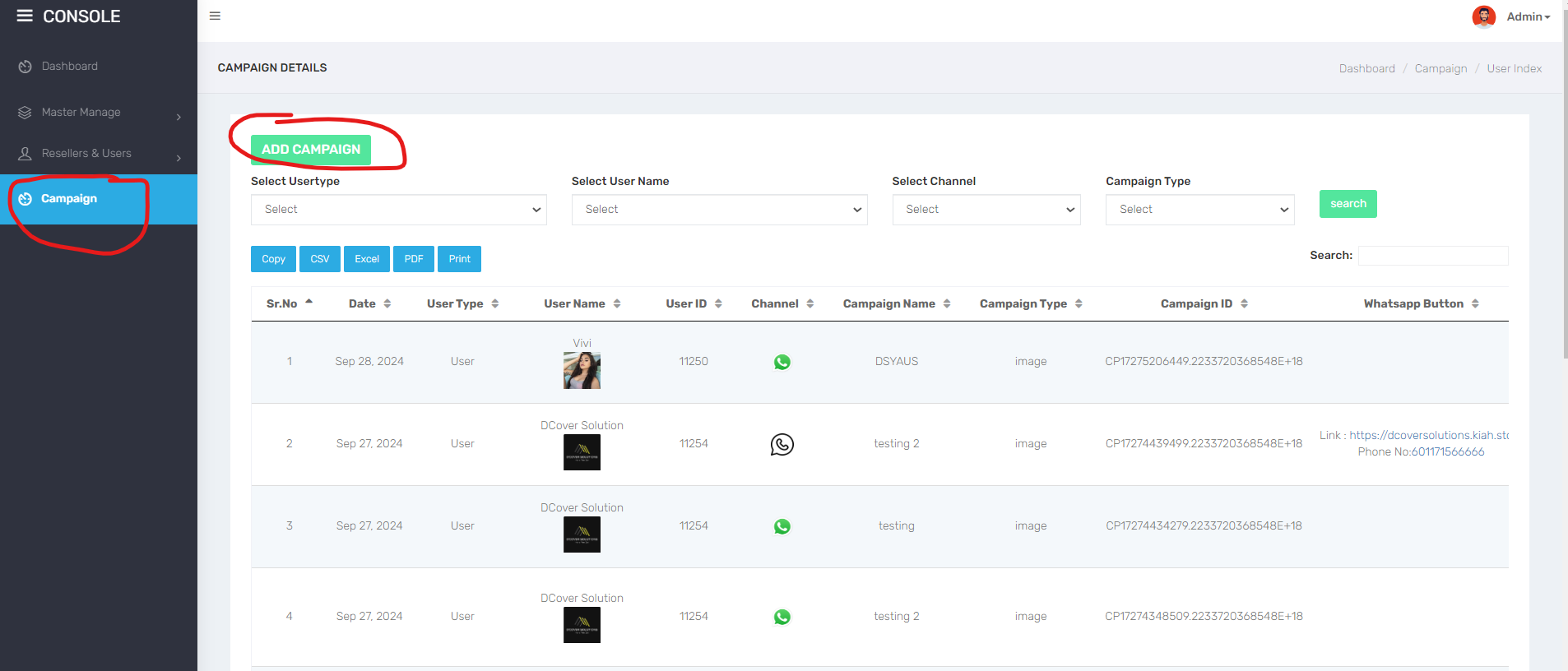
1st step: Go to "Campaign" > "Add Campaign"
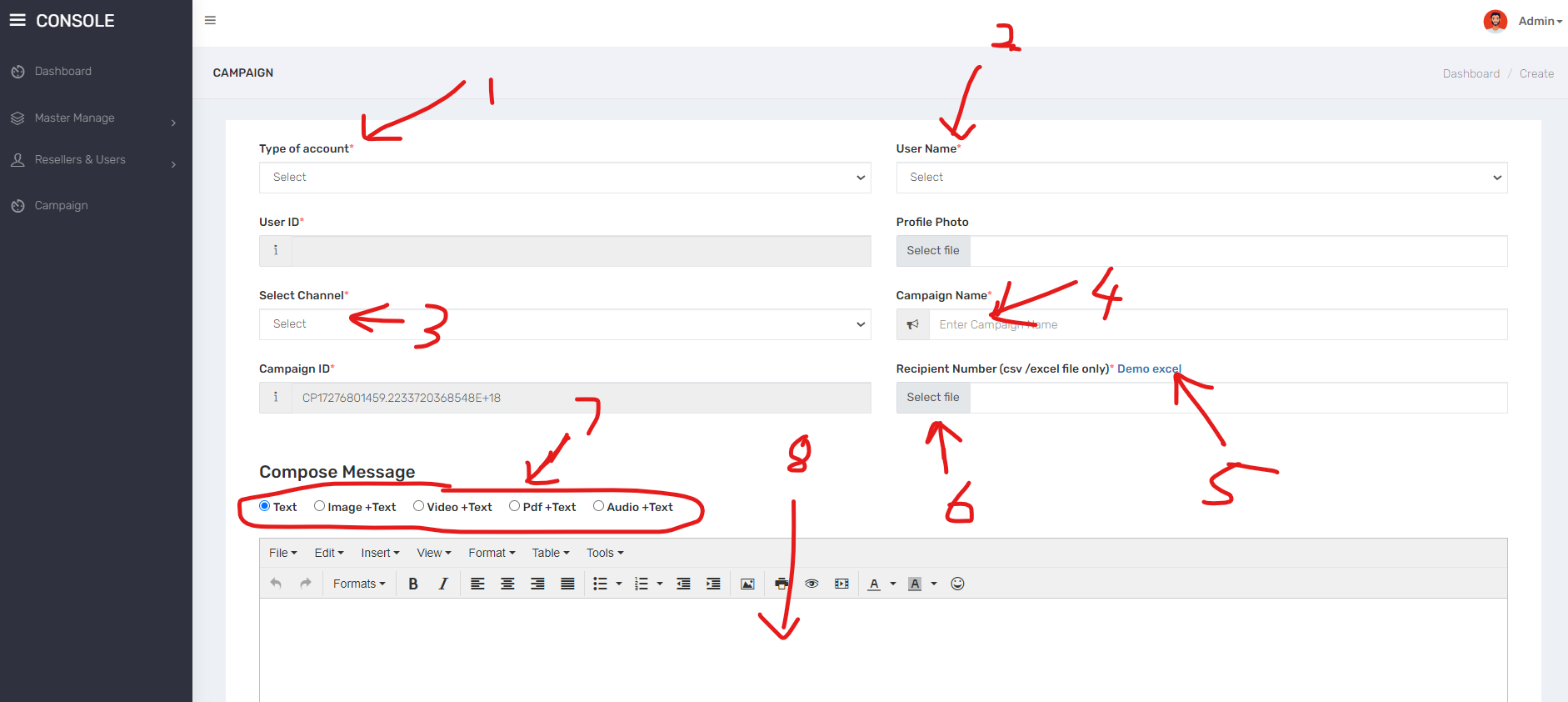
2nd Step
1. **Type of account**: Choose your type of account
2. **Username**: Choose your username
3. **Select Channel**: Choose your channel you want to send out. For eg, WhatsApp, Telegram or etc
4. **Campaign Name**: Insert a campaign name for your own reference purpose.
5. **Demo Excel**: Download our Excel template and follow exactly with this format. Fail to follow our format, your campaign will be rejected and credit will be refund back to your wallet.
1. **SR. No**: Kindly numbering in orderly manner based on the total number you have on "Contacts" / Column B
2. **Contacts**: Kindly insert country code in front of your phone number without any spacing and + sign. Follow this format *\\*.
6. **Select File**: Upload your Excel template which you have saved and inserted all your contact numbers
7. Insert your marketing message here.
8. Click "**Submit**" button after you have done.
{% hint style="info" %}
Hint: If you encounter 500 error when you click on "Submit" button, it means that your wallet probably doesn't have enough credit. If you have enough credit, it could mean other technical problem. Kindly reach our to us via [WhatsApp](https://wa.me/60196788636). We will look into it.
{% endhint %}
{% embed url="" %}
## Watch this video on how to assign new users
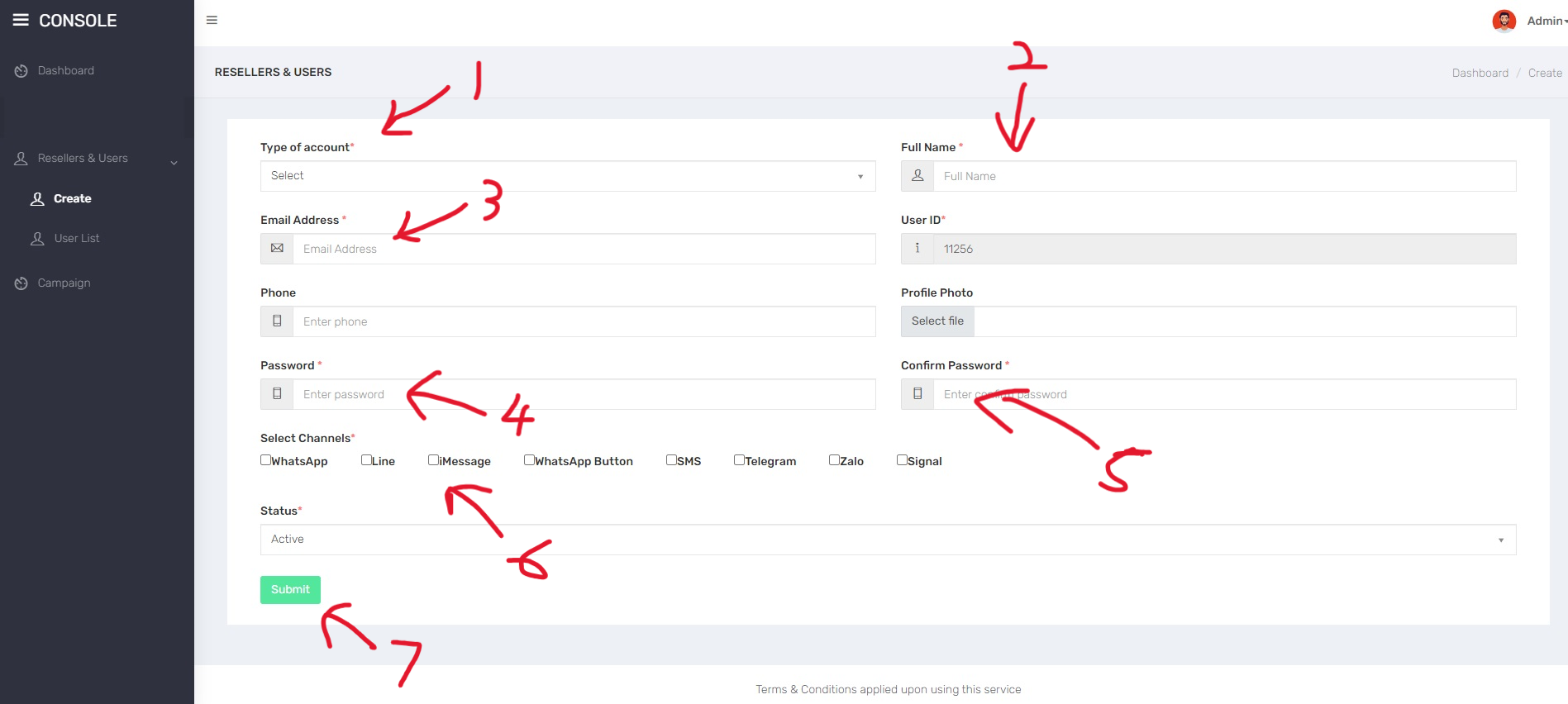
1st step: Go to "Resellers & Users" > "Create"
1. **Type of Account**: Choose between User or Reseller account to create for your customer.
2. **Full name**: Give a name for your customer account
3. **Email address**: Insert your customer/reseller's email address
4. **Password**: Insert more than 8 characters password
5. **Confirm password**: Repeat your password
6. **Select channel**: Choose channels you want to transfer your credit to. Kindly check whether you have enough of the credit to transfer to customer.
7. Click **Submit** button.
{% embed url="" %}
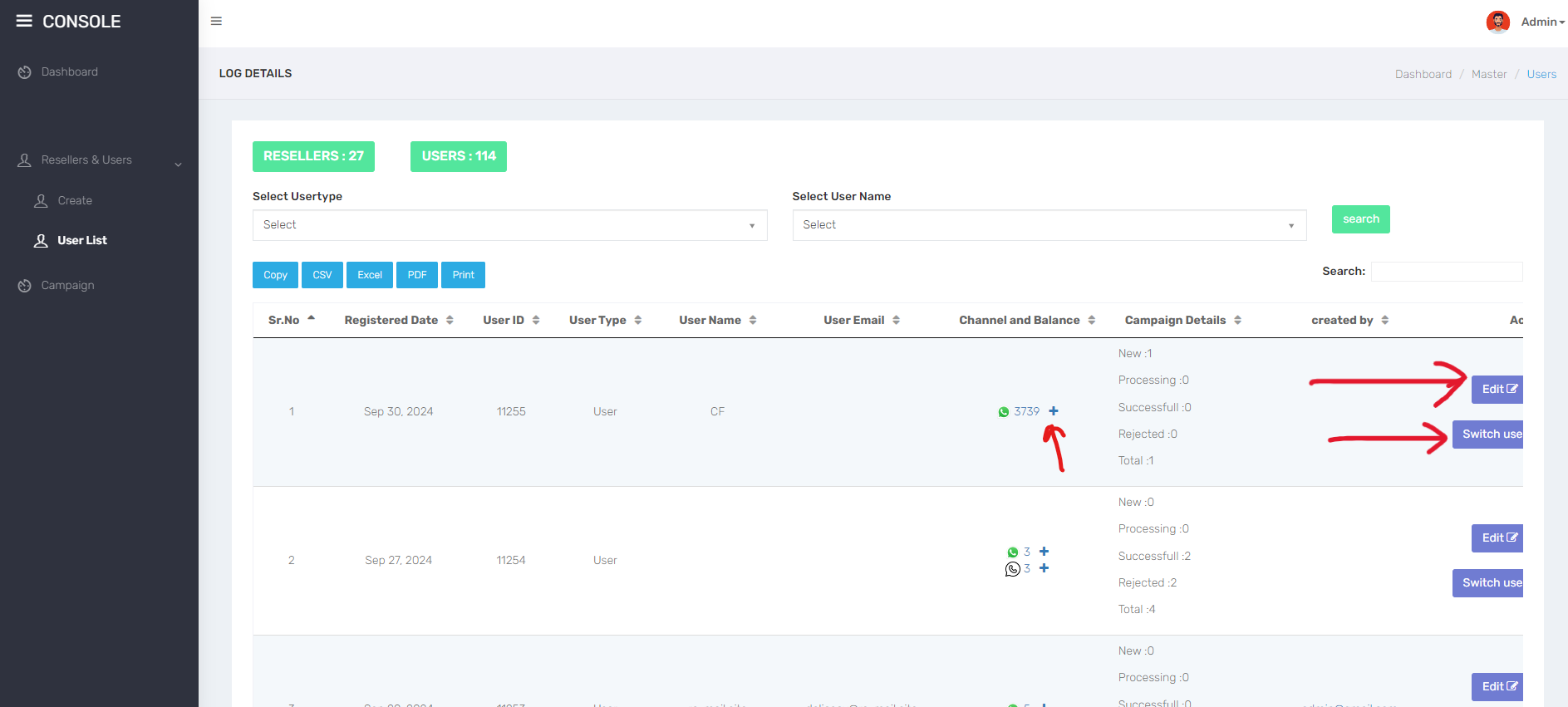
## How to manage existing users?
1. **+ sign**: Topup new credit to your existing customer by hitting the **+** sign
2. **Edit**: To reset your customer's type of account, full name, email address, update password and channels